Getting started
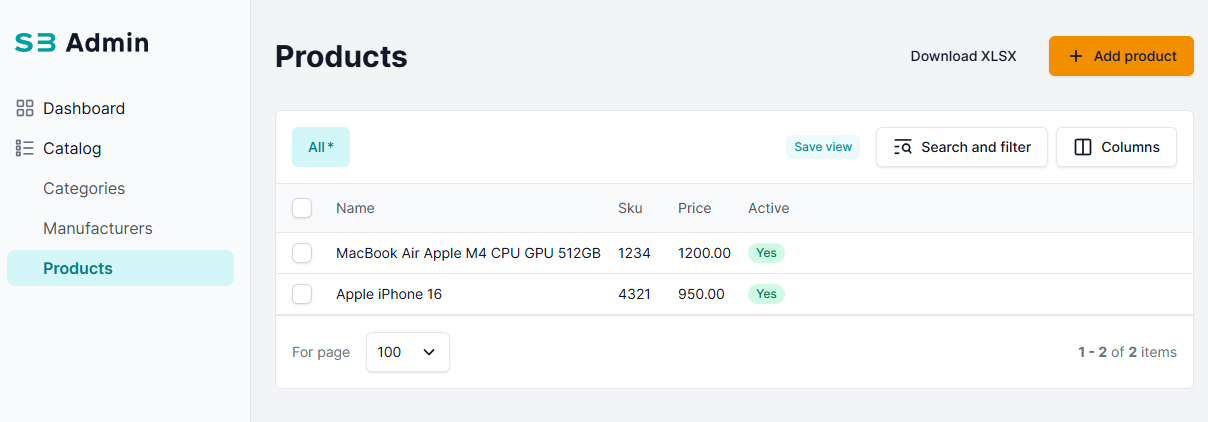
The Table (list) view of an admin model can be highly customized using sbadmin_list_display. It builds on top of Django’s standard admin list view, while adding advanced formatting, styling, and control over how data is presented. This allows you to display custom fields or apply formatting to existing fields—without modifying the underlying model.
Key features:
- Rename columns
- Format values using Python functions (python_formatter)
- Include related model data
- Add badges, colors, or custom HTML
- Exporting table to XLSX format
- Advanced filtering
- Saving filtered views
- Performing bulk actions
SBAdminField Parameters
| Parameter | Type | Description |
|---|---|---|
name | str | Required. Field identifier — can reference a model field or an admin method |
title | str | Column header label |
annotate | Expression | Django ORM expression (F, Concat, Case, etc.) |
annotate_function | callable | (field, values) -> Expression — dynamic annotation that receives the field instance and current queryset values. Use when the annotation depends on runtime context. Falls back to Value(None) if the function returns None |
supporting_annotates | dict | Additional annotations passed to admin method |
filter_field | str | Field name for filtering (if different from display) |
filter_widget | FilterWidget | Custom filter widget |
filter_disabled | bool | Disable filtering for this field |
python_formatter | callable | Format value: (obj_id, value) -> formatted_value |
list_visible | bool | Show/hide column in list (default: True) |
list_collapsed | bool | If True, the column is pinned/collapsed by default in the column selector (default: False) |
tabulator_editor | str | Tabulator editor type for inline editing (e.g., "input") |
tabulator_options | TabulatorFieldOptions | Advanced Tabulator column options |
xlsx_options | XLSXFieldOptions | Excel export options for the field |
💡Example: Defining the Table / List View
To customize the list view, you define sbadmin_list_display with selected fields in your admin class:
- Code
- Result
catalog/sb_admin.py
@admin.register(Product, site=sb_admin_site)
class ProductSBAdmin(SBAdmin):
    model = Product
    inlines = [ProductImageInline]
    sbadmin_list_display = (
        "name",
        "sku",
        SBAdminField(name="price", title=_("Price")),
        SBAdminField(name="is_active", title=_("Active")),
        "manufacturer",
    )
    list_per_page = 25  # Sets the number of items to display per page